What is a digital menu?
A digital menu is an online restaurant menu. Guests open it by smartphone, website or QR code and see current dishes, prices, images, allergens and other information.
DIGITAL MENU FOR RESTAURANTS
Robexa puts your menu online, mobile and multilingual — guests scan the QR menu at the table, browse dishes with photos, prices and allergens, and optionally order directly with no app required. When ordering is enabled, orders flow cleanly to service and kitchen in the same Robexa system.
One menu for guests — on QR, website and table ordering, managed in one place.
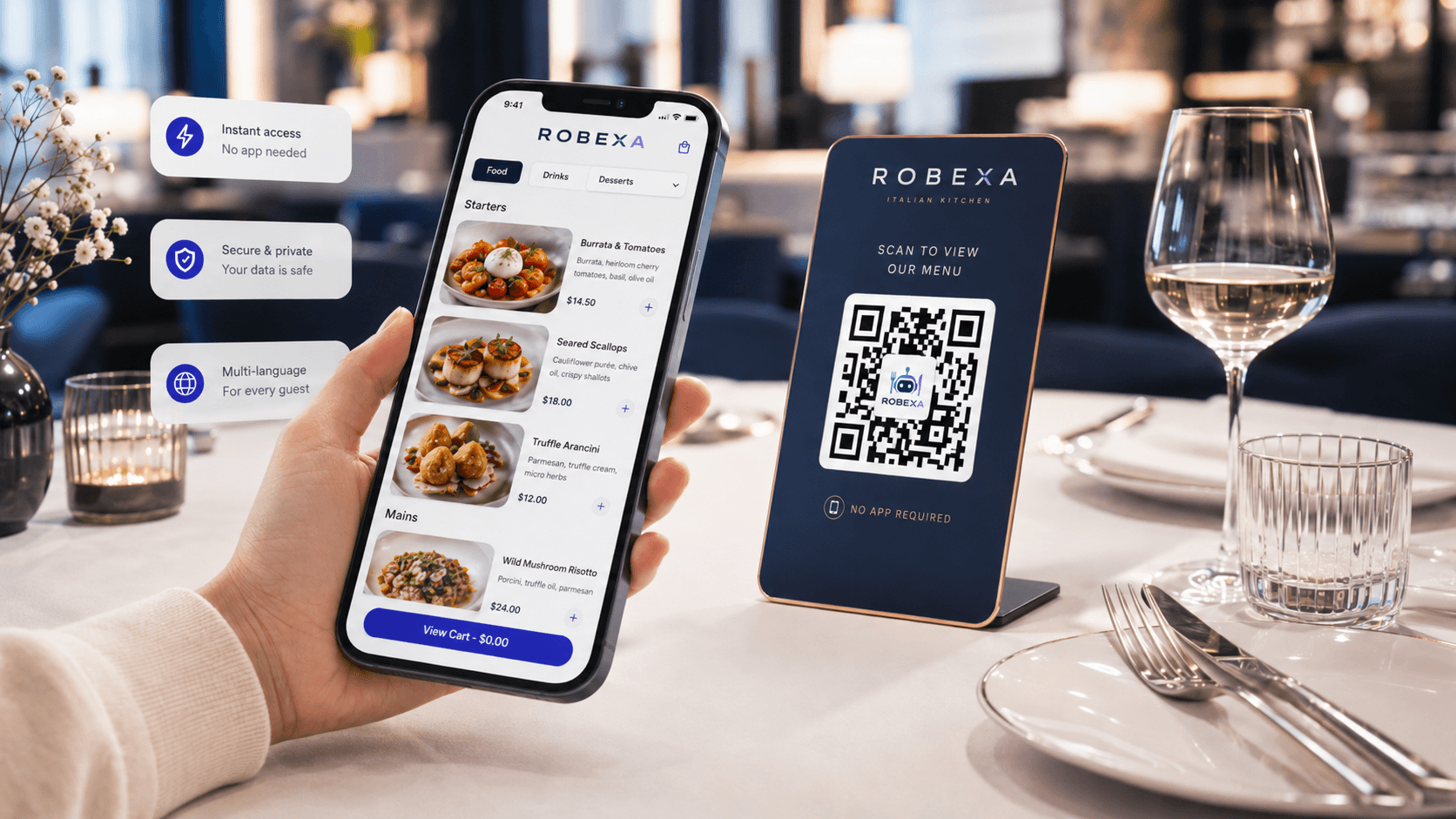
A digital menu is an online restaurant menu. Guests open it by smartphone, website or QR code and see current dishes, prices, images, allergens and other information.
A QR menu is a digital menu opened through a QR code. Guests scan the code at the table and view the menu directly in the browser, without an app.
A static PDF menu becomes outdated quickly. Prices change, daily specials rotate, allergen information must be maintained carefully and sold-out items should no longer be visible. A PDF is also disconnected from restaurant operations: it displays information, but it does not support ordering, kitchen workflows, service or analytics.
With Robexa’s digital menu, your menu data is managed centrally and reused wherever guests and teams need it: as a QR code menu at the table, as an online menu on your website, as a mobile menu for service workflows and optionally as a digital menu with ordering.
Robexa is not just a QR menu. Robexa connects menu management, QR codes, table ordering, kitchen workflows, service and management in one system. Dishes, prices, images, modifiers, add-ons, allergens and availability can be managed centrally and used across multiple digital channels.
One menu. One system. Less daily effort.
Guests scan the QR code at the table and open the menu directly in the browser. No installation, no registration, no friction.
Present dishes, drinks, recommendations and specials with images, descriptions and clear pricing.
Ideal for restaurants, hotels, tourist locations and international guests. Menu content can be structured in multiple languages.
Important allergen, additive and dietary information can be displayed clearly and consistently.
Portions, sides, cooking levels, extras, modifiers and recommendations can be represented directly in the digital menu.
Guests can not only view the menu but also order by QR code if ordering is enabled. Orders can be routed to kitchen, printers or service workflows.
Control daily specials, seasonal items, sold-out dishes and time-based offers without reprinting menus.
Use the same menu data for your website, QR menu, online ordering, table ordering and restaurant operations.
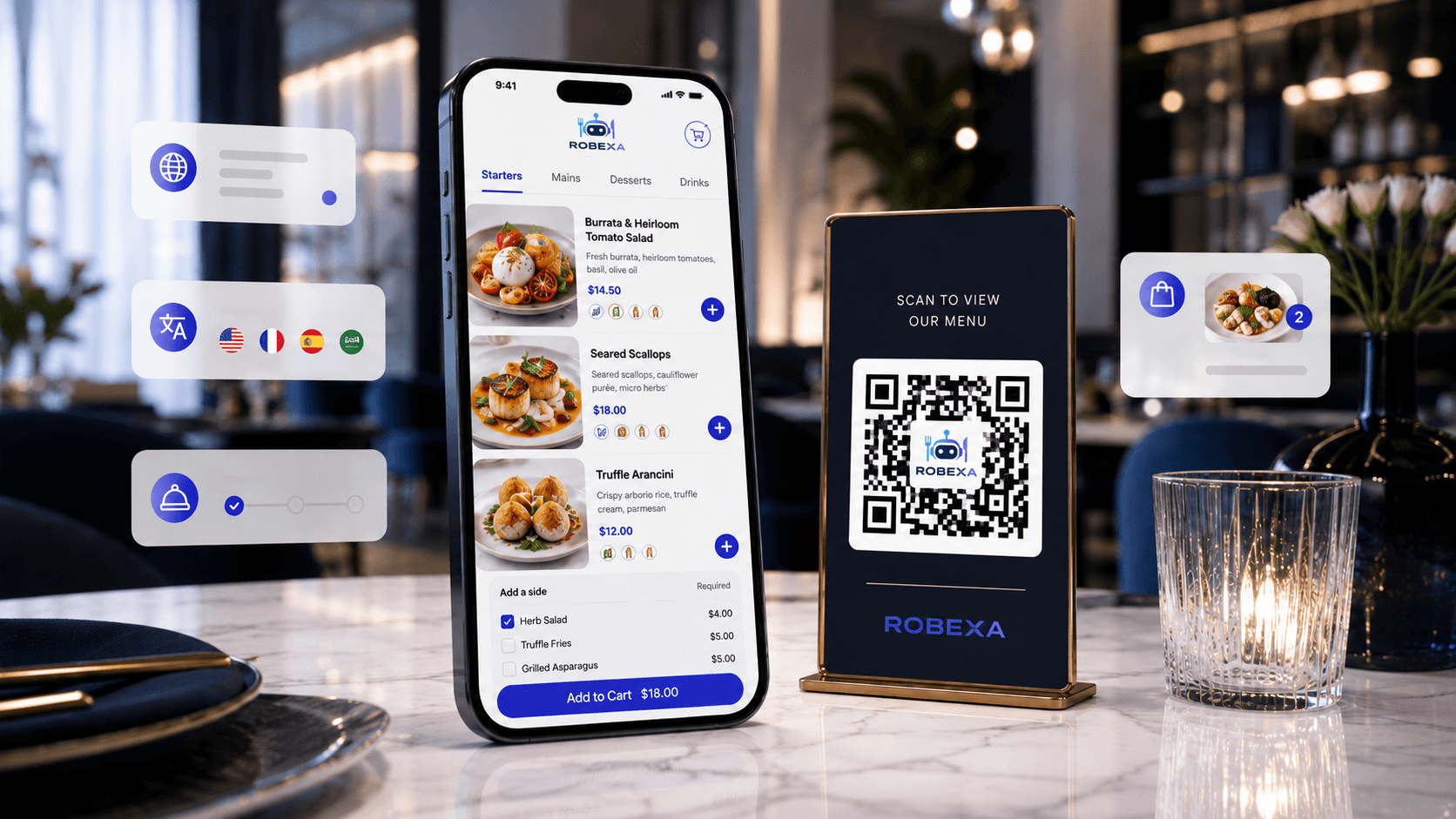
With Robexa’s QR menu, guests open your digital menu directly at the table. The QR code can be placed on table stands, flyers, receipts, posters, hotel materials or your website. Guests do not need an app and can instantly view the current menu.
A basic QR menu usually only displays a menu. Robexa can do more: the QR menu can be connected to tables, zones, ordering flows, kitchen workflows, service and optional payment. This turns an online menu into a real part of your restaurant system.
Not every restaurant wants to activate QR ordering immediately. That is why Robexa stays flexible: you can start by using the digital menu for display only and add QR ordering, table ordering or online ordering later. When ordering is enabled, choices, extras, notes and table information are passed on in a structured way.
Many tools only digitize the visual menu. Robexa goes further and connects the digital menu with restaurant operations.
Dishes, categories, prices, images, allergens, modifiers and extras are managed centrally.
QR codes can be used for tables, zones, campaigns or your website.
The digital menu opens directly in the browser – mobile, fast and app-free.
Depending on your operating model, the QR menu can display information only or allow direct ordering.
When ordering is enabled, items flow to the right teams in a structured way — without manual re-entry.
A digital menu with QR code is useful for many hospitality concepts – from small cafés to restaurants with multiple areas or locations.
Digital menu, QR menu and optional table ordering for modern restaurant workflows.
Fast updates for daily offers, drinks, snacks and recommendations without reprinting.
Digital drinks menu, cocktail menu, recommendations and QR menu for guests at the table.
Multilingual menu for international guests, hotel restaurants and guest-facing information.
QR codes for tables, zones or outdoor areas with clear assignment.
Online menu with optional ordering for pickup, delivery or pre-ordering.
Robexa connects QR menu, digital menu and optional table ordering in one system — a guest-facing menu, managed once and always up to date.
A digital menu is an online restaurant menu. Guests open it by smartphone, website or QR code and see current dishes, prices, images, allergens and other information.
A QR menu is a digital menu opened through a QR code. Guests scan the code at the table and view the menu directly in the browser, without an app.
A QR menu mainly describes access through a QR code. A digital menu is the complete menu system behind it. Robexa combines both and can also connect ordering, kitchen, service and website workflows.
No. Robexa’s QR menu opens directly in the browser. Guests do not need to install an app or register just to view the menu.
Yes. Prices, dishes, categories, images, allergens, availability and descriptions can be managed centrally so the QR menu and online menu stay consistent.
Yes. Allergens, additives and important notes can be stored in a structured way and shown to guests.
Yes. A multilingual menu is useful for tourist locations, hotels, international guests and multilingual restaurants.
Yes. Robexa can be used as a digital menu with ordering. Guests can order by QR code when this function is enabled.
Yes. You can start with a digital menu or QR code menu only and add QR ordering, table ordering or online ordering later.
Yes. The online menu can be connected to or embedded into your restaurant website.
Yes. Daily specials, seasonal items and unavailable dishes can be controlled digitally without printing a new menu.
A QR menu is useful for restaurants, cafés, bars, hotels, bistros, beer gardens, takeaway businesses and multi-location hospitality brands.
Show guests a modern menu and connect it with the workflows behind it: QR code, ordering, kitchen, service and website.